Confidence depends on visibility
Reviewers could not trust outcomes when formulas, hidden rows and columns, pivot tables, and metadata were not surfaced during redaction decisions.

Case study
Impact: Designed a defensible spreadsheet-redaction workflow that reduced misses and sped up high-volume review.
Problem
Spreadsheet productions carry dependencies—formulas, hidden rows and columns, pivot tables, and metadata—not just visible cells. A single missed link can expose privileged or sensitive information.
Solution
A connected review system for selection, redaction, and validation that keeps reviewers in spreadsheet context while surfacing risk.
Impact
Teams moved faster with fewer correction loops and greater confidence that sensitive data was consistently protected before production.
Spreadsheets are not flat documents. Production files bundle formulas, hidden rows and columns, pivot tables, and workbook metadata—each of which can carry or echo sensitive values outside the cells a reviewer is staring at.
Redacting only what is visible can still leak data: a formula can recompute a redacted cell, a pivot can resurface excluded rows, and metadata can retain identifiers or paths teams assumed were gone.
Existing workflows forced context-switching between selection, redaction, and QA checks. That introduced manual handoffs, duplicated effort, and inconsistent review behavior across teams.

Before this project, redactions in spreadsheets were effectively handled one cell at a time. That approach was manageable for small files but broke down quickly on enterprise-scale datasets.
Review teams had to repeat manual actions across large grids, which increased fatigue and made it easier to miss sensitive values during production review.
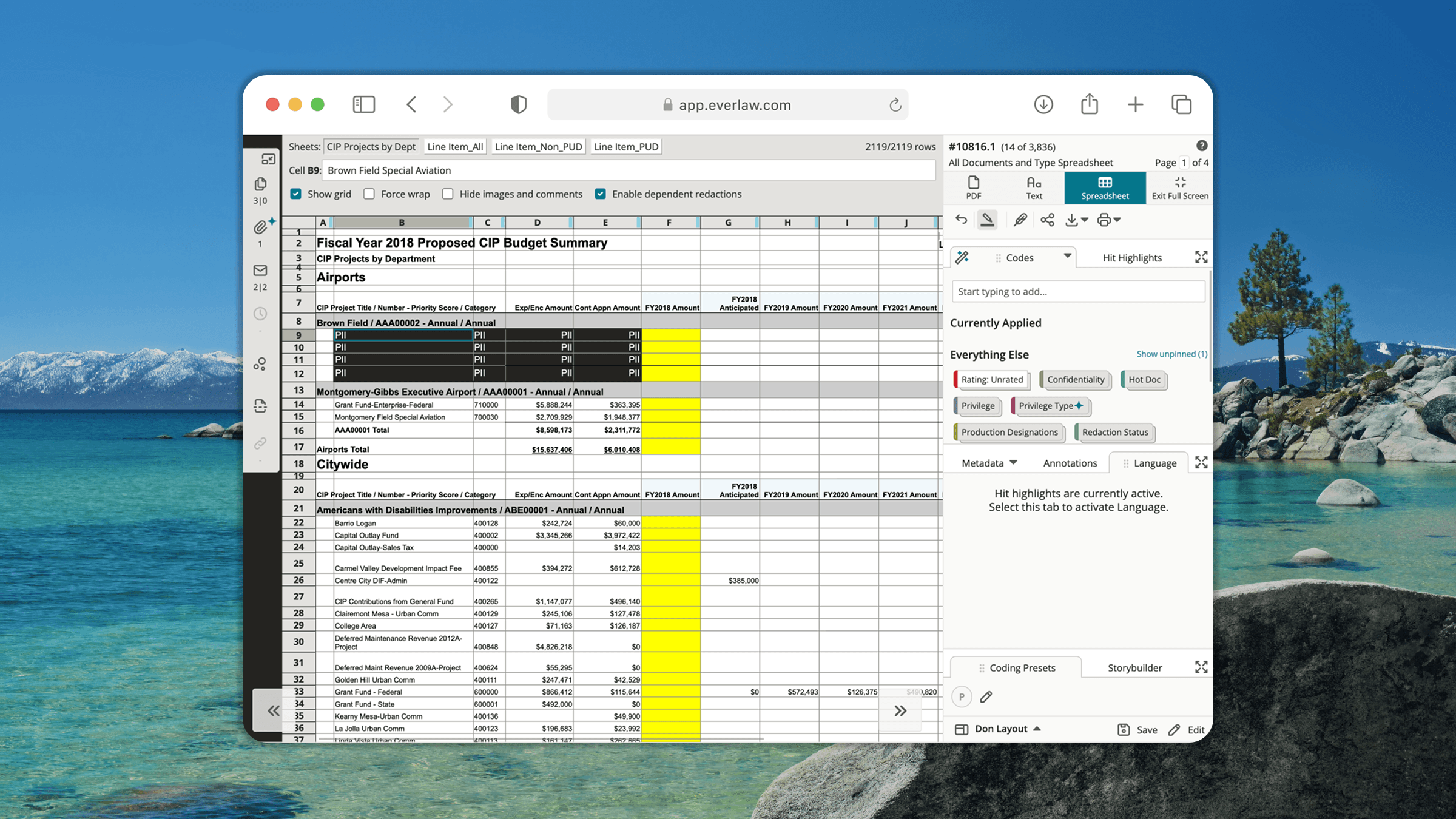
Methodology: interviews with litigation reviewers, workflow analysis on live spreadsheet matters, and replay of QA escalation patterns.
Reviewers could not trust outcomes when formulas, hidden rows and columns, pivot tables, and metadata were not surfaced during redaction decisions.
Every jump between tools increased cognitive load and raised the chance of skipping validation steps under deadline pressure.
Teams needed an auditable path from selection to final output, not isolated UI actions that were hard to verify later.
Before interaction details, we mapped how production spreadsheets actually behave: formulas, hidden rows and columns, pivot tables, and metadata can all propagate or echo sensitive values. That dependency view defined what the product had to respect—not just what reviewers see in the grid.
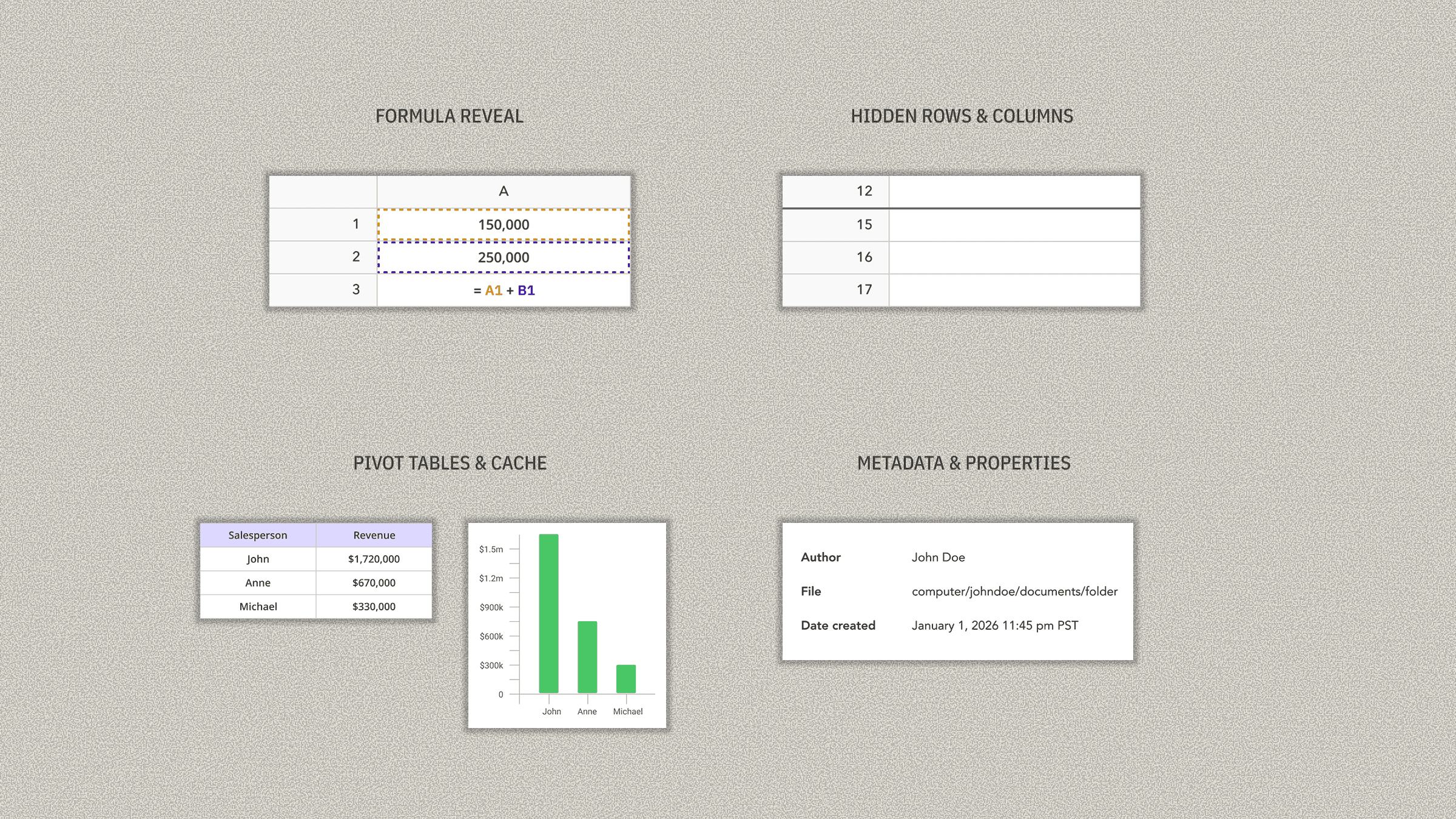
From that map, a core move was modeling spreadsheet content as explicit redaction objects so the system could consistently track what was selected, what was redacted, and what still required validation across those relationships.
We anchored the design around three principles: expose risk before action, keep reviewers in-context, and make validation unavoidable at the right moments. Selection patterns reflected spreadsheet mental models—ranges, headers, repetitive structures—so reviewers could batch work without losing precision.
Validation cues stayed explicit rather than subtle. We traded visual minimalism for clarity so teams would not ship false confidence on sensitive productions.
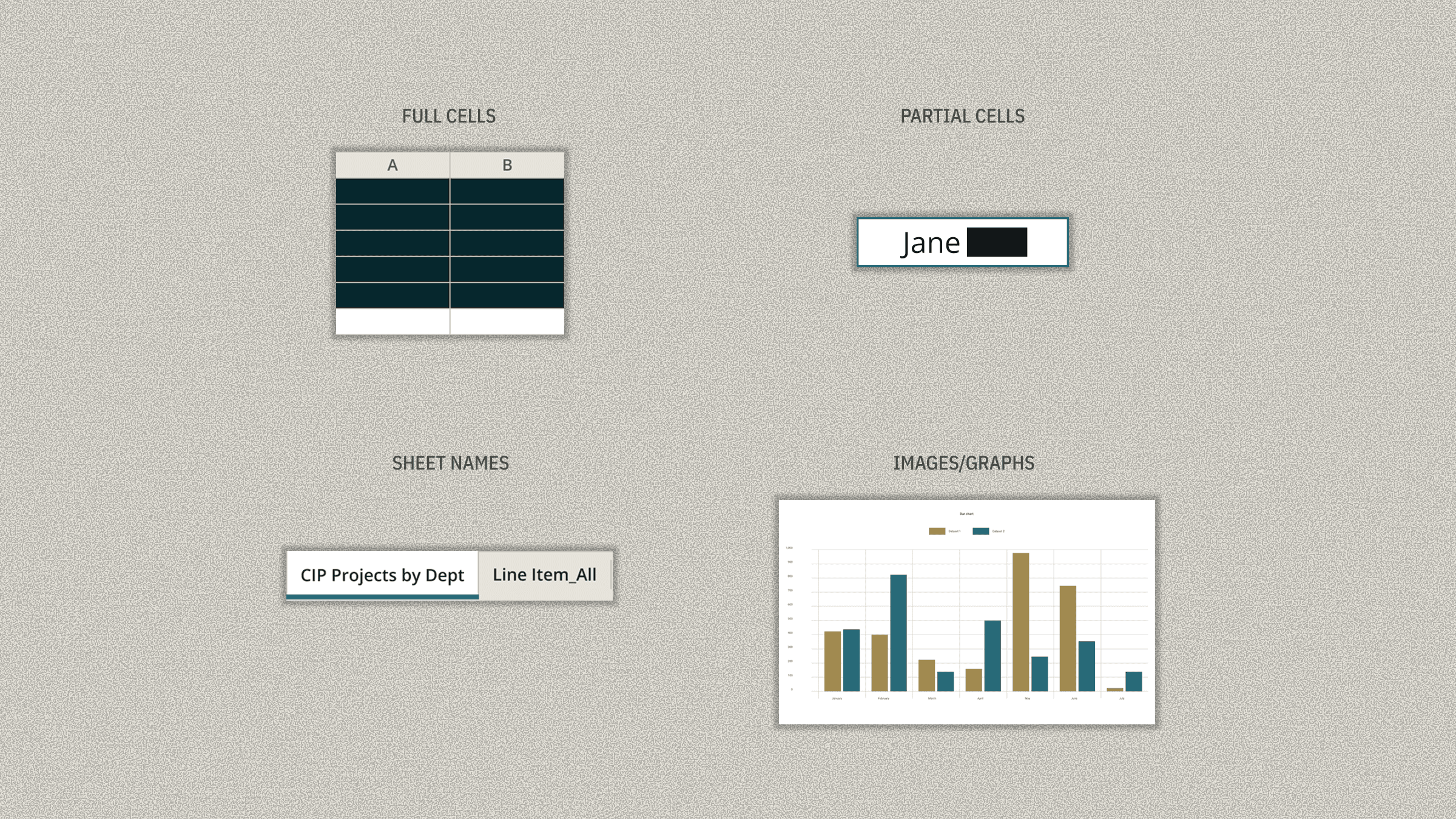
The final design works as a sequence: identify sensitive areas, apply redactions in-context, validate linked risk, and finalize with clear review status.
Selection, redaction controls, and validation feedback were unified in one workflow so users could move from action to confirmation without losing orientation.
Review states and safeguards were designed to support both speed and defensibility, especially for teams reviewing large spreadsheets collaboratively.
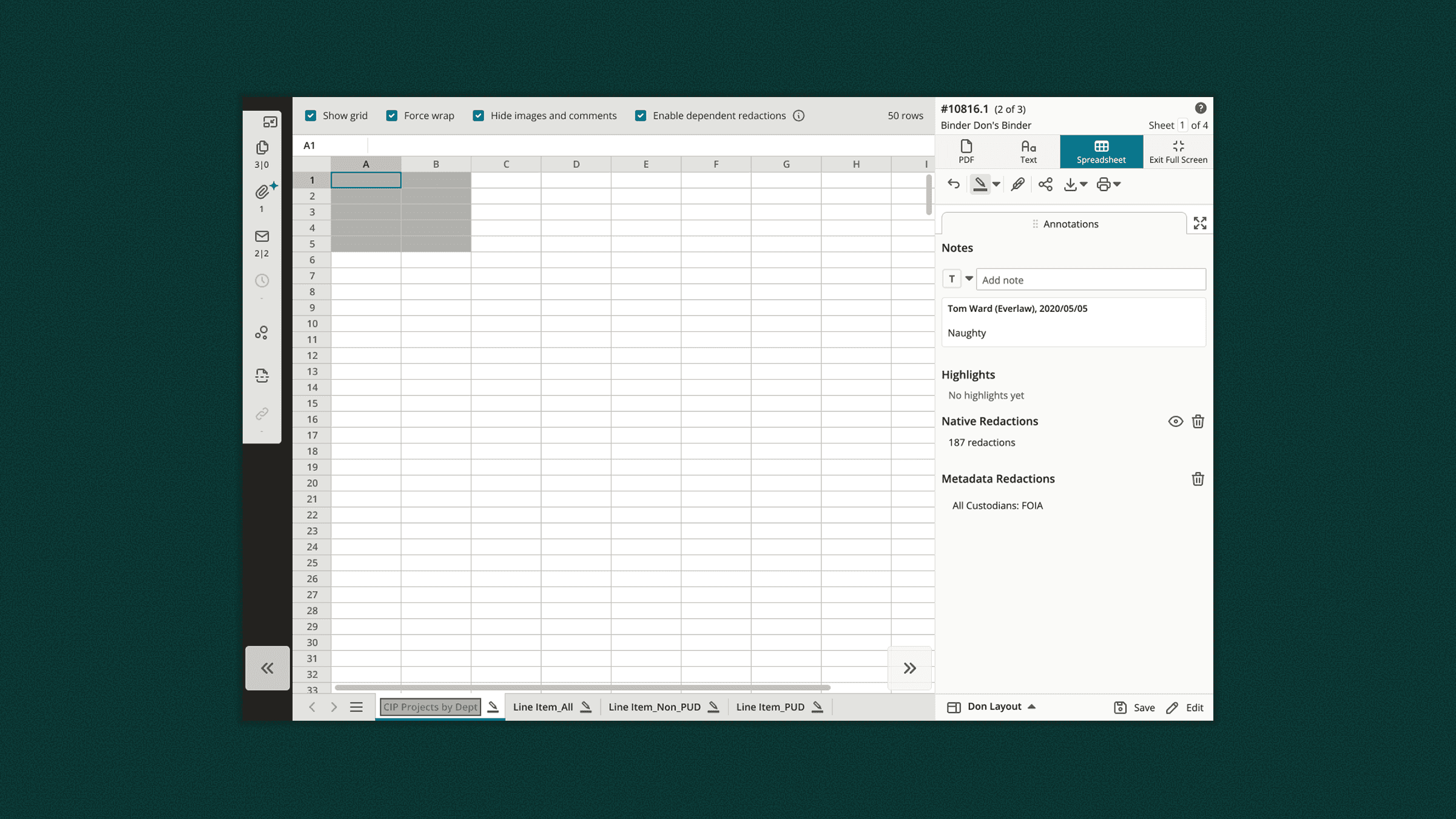
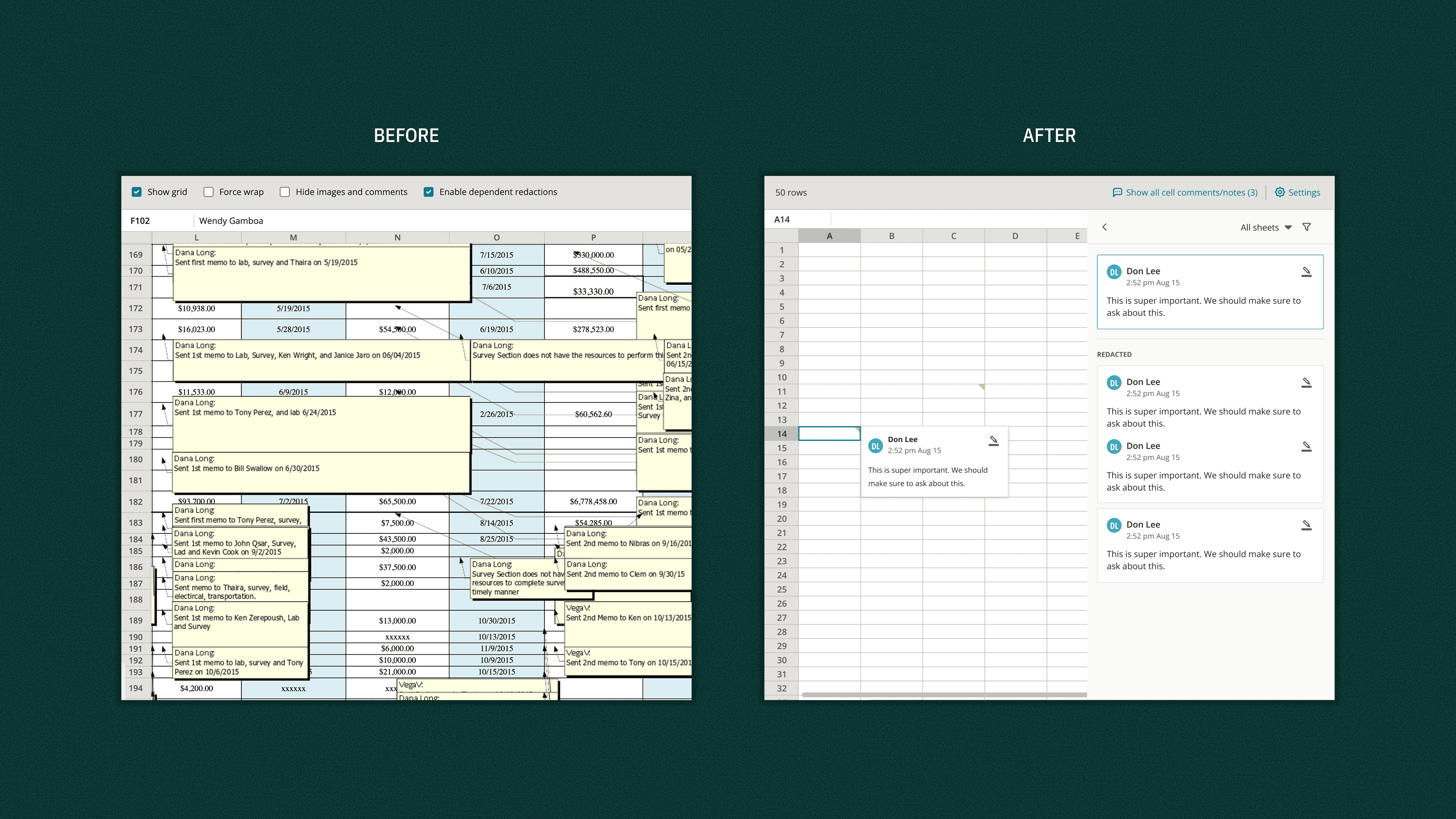
Post-launch, teams reported fewer QA round-trips and more consistent review behavior across matters, especially in large spreadsheet productions.
The product reduced redaction anxiety by making risk states visible and traceable, which improved reviewer confidence in final outputs.
Business-wise, this strengthened Everlaw's ability to support high-stakes enterprise workflows where defensibility is a core buying criterion.
Efficiency
Higher
Fewer manual handoffs
Quality
Stronger
Lower miss risk
Confidence
Improved
Clearer validation states
This work continues to evolve in production; we are actively extending and refining the workflow as teams scale spreadsheet review.